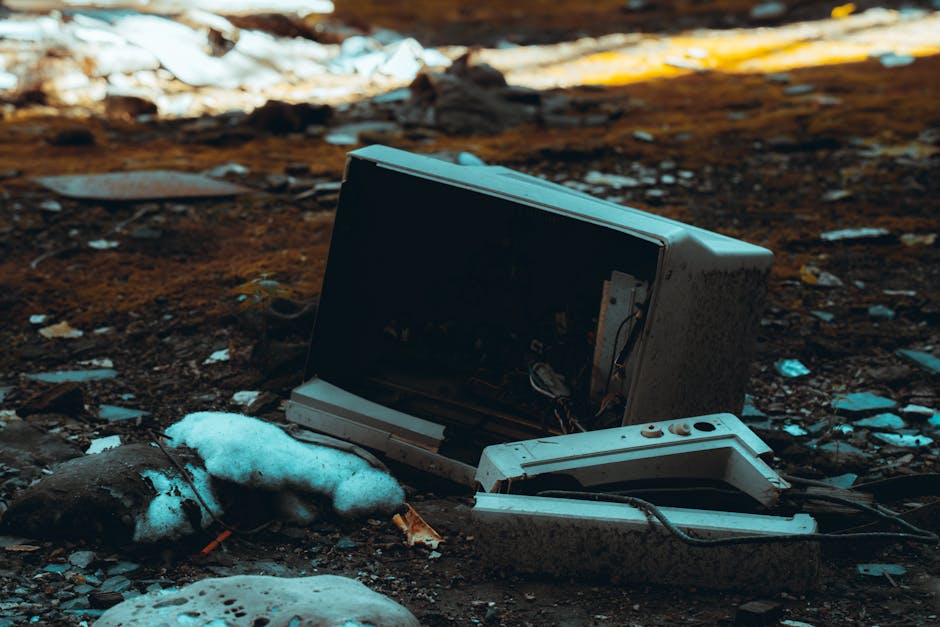
Safe Disposal Paths for Old Electronics in the UK
Old electronics have a habit of piling up in drawers, cupboards, spare rooms and lofts. One dead laptop. A phone with a cracked screen. A kettle that stopped working in the middle of winter. Before you know it, there's a small tech graveyard sitting in the house. And because these items are awkward, fragile and sometimes full of batteries or data, disposing of them properly is not as simple as tossing them out with the general rubbish.
This guide on Safe Disposal Paths for Old Electronics in the UK explains the sensible options, what to avoid, and how to choose the right route for homes, flats and businesses. You'll also find practical steps, comparison advice, a checklist, and a real-world example so you can make a decision without the guesswork. Let's face it, nobody wants a half-broken TV in the hallway for another six months.
Table of Contents
- Why Safe Disposal Paths for Old Electronics in the UK Matters
- How Safe Disposal Paths for Old Electronics in the UK Works
- Key Benefits and Practical Advantages
- Who This Is For and When It Makes Sense
- Step-by-Step Guidance
- Expert Tips for Better Results
- Common Mistakes to Avoid
- Tools, Resources and Recommendations
- Law, Compliance, Standards, or Best Practice
- Options, Methods, or Comparison Table
- Case Study or Real-World Example
- Practical Checklist
- Conclusion
- Frequently Asked Questions
Why Safe Disposal Paths for Old Electronics in the UK Matters
Electronics are not just "rubbish". They often contain batteries, circuit boards, wiring, plastics, metals and sometimes hazardous components. That means the wrong disposal route can create avoidable risks for people, property and the environment. A smashed screen, a leaking battery or a damaged device left in a damp garage can become more than an inconvenience.
There's also the data side. Even an old phone or tablet can still hold personal photos, banking apps, saved passwords, messages and login details. If you hand over a device without clearing it properly, you may not be disposing of waste so much as handing someone a tidy bundle of your private life. Not ideal.
In the UK, safe disposal matters because it helps keep reusable material in circulation, reduces contamination in recycling streams and makes it easier for households and businesses to stay on the right side of accepted waste practice. And if you're clearing out a whole room or office, electronics are often part of a wider load that also includes furniture, white goods or general clutter. In that case, a broader service such as waste clearance or rubbish removal may be more practical than trying to deal with every item separately.
Expert summary: The safest route is the one that protects people, protects data, and sends the item into the right recycling or reuse channel. If one of those three pieces is missing, the process usually needs a rethink.
How Safe Disposal Paths for Old Electronics in the UK Works
At a practical level, electronics disposal usually falls into one of a few routes: reuse, repair, separate collection, council collection, retailer take-back, or specialist recycling. The best option depends on the item's condition, size, and whether it still works.
Here's the simple version. If a device still works, reuse or resale may be the most sensible first step. If it doesn't work but can be repaired, that may extend its life and avoid unnecessary waste. If it's dead, obsolete or unsafe, it should go to an approved recycling or disposal route rather than being mixed with ordinary household rubbish.
Some items are easier than others. A mobile phone can often be handled through a small-device recycling point or retailer scheme. A large television or a bulky printer is different. Those usually need more planning, especially if you live in a flat, have no car, or are dealing with a staircase that seems designed to punish anyone carrying awkward electronics. In those situations, a general bulky waste collection can be a useful option, particularly when you're clearing several items in one go.
There's also the issue of separation. Batteries, toner cartridges, plugs, cables and peripherals may need to be removed or sorted before collection. That doesn't mean every cable has to be perfectly coiled like a showroom display, but it does help to keep items organised. A bit of prep goes a long way.
Key Benefits and Practical Advantages
Choosing the right disposal path for old electronics is not just about tidiness. The benefits are practical and immediate.
- Safer handling: Damaged batteries, cracked screens and electrical faults are less likely to cause harm.
- Better data protection: You can wipe devices properly before they leave your home or workplace.
- Less hassle: A planned disposal route saves repeated trips to the tip and reduces clutter.
- Better environmental outcomes: More materials can be recovered and reused.
- Cleaner homes and offices: Old tech can be removed alongside other items during a larger clear-out.
There is also a surprisingly underrated benefit: peace of mind. Once the old kit is gone, the room feels different. Less visual noise. Less "I'll deal with that later". You notice it especially in a loft or spare room. Suddenly there's space again, and that's a good feeling.
If you're clearing an entire property, it can make sense to combine electronics with other bulky items in a single visit. That's where services like home clearance, house clearance or office clearance can simplify the process enormously.
Who This Is For and When It Makes Sense
This topic is relevant to more people than you might think. A lot of households only notice their old electronics when they move, redecorate, or finally open that cupboard under the stairs. Businesses and landlords deal with it even more often.
This guide is especially useful if you are:
- a homeowner clearing broken or outdated electronics
- a tenant moving out of a flat and needing a fast, tidy solution
- a landlord or letting agent dealing with leftover tech after a tenancy
- a small business replacing desktops, monitors or printers
- an office manager arranging a larger IT or desk clearance
- someone with mixed waste, where electronics are just one part of the load
It also makes sense if you're dealing with more than one awkward item. Say you've got an old router, two monitors, a printer and a dead desktop tower. You could spend a weekend trying to work out which recycling point takes what. Or you could choose a route that handles the lot. Truth be told, for many people the second option is the one that actually gets done.
For mixed household clearances, especially where tech is only part of the clutter, you may find flat clearance or rubbish clearance more practical than piecemeal disposal.
Step-by-Step Guidance
If you want a safe, calm process rather than a last-minute scramble, follow this order. It works well for most homes and small business settings.
- Identify the item. Separate electronics from general waste, furniture and batteries. A printer is not the same as cardboard packaging, and a laptop is not the same as a desk chair.
- Check whether it still works. If it powers on and functions safely, consider reuse, donation or resale. If not, move to disposal.
- Back up and wipe data. Remove personal files, sign out of accounts and reset devices where possible. Phones, laptops, tablets and smart devices can store more than people realise.
- Remove detachable parts. Batteries, ink cartridges, toner, memory cards and accessories may need separate handling.
- Choose the best route. Council collection, retailer take-back, recycling centre, or a private clearance service. Choose the one that fits your item and your schedule.
- Prepare for collection or drop-off. Keep items dry, accessible and grouped together. If there are screens or glass components, avoid stacking heavy items on top.
- Keep proof if needed. Businesses should record disposal routes and retain paperwork where appropriate.
A small example: if you're clearing a study in south-west London and you've got a broken monitor, a modem and an old printer, it's usually faster to bundle those with the rest of the room's waste than to make separate journeys. If the load is bigger, a bulk waste collection can be the cleaner answer.
Expert Tips for Better Results
A few practical habits can make old electronics much easier to manage, and safer too.
- Sort by type before you start. Put small tech, screens, cables and appliances into separate piles. It saves time later.
- Take batteries out early. Swollen batteries, in particular, should not be left rattling around with other waste.
- Keep chargers and accessories together. Sometimes the accessory is reusable even when the main device is not.
- Photograph serial numbers if needed. Handy for business inventory or insurance records, and sometimes for peace of mind.
- Don't store dead devices in hot lofts for too long. Summer heat can make batteries and plastics deteriorate faster. You can smell that old dusty electronics smell when a box has been left up there too long.
- Use a single collection point for mixed waste. If you also have furniture, appliances or general clutter, combining services can save time and reduce disruption.
In our experience, the best results come from doing less, but doing it properly. Not every item needs a dramatic decision. Some just need a clear bin, a good label and a sensible collection route.
If your old electronics are part of a larger room or property reset, browsing related services such as furniture disposal or waste removal can help you plan the wider job in one go.
Common Mistakes to Avoid
Most problems with electronics disposal come from rushing. The items themselves are often fine to move, but the process is where mistakes happen.
- Throwing electronics into general rubbish. This can contaminate waste streams and is often the least responsible route.
- Forgetting to remove data. Even "broken" devices may still switch on long enough for someone to access stored information.
- Mixing batteries with other scrap. This can create fire risk and handling problems.
- Assuming every council handles everything the same way. Local arrangements vary, so check before you rely on them.
- Leaving devices outside in the rain. Water damage can increase handling risk and make recycling less straightforward.
- Waiting until the last minute. Old electronics are easy to forget until moving day, and then they become a small nightmare.
One common issue in flats is storage. People stash old kit on balconies, in communal hallways or in the entrance area. That's not just messy; it can also create safety and access problems. If you're dealing with a small space, specialist collection is usually easier than trying to stage everything yourself.
Tools, Resources and Recommendations
You do not need a truckload of tools to dispose of old electronics properly, but a few practical items help a lot.
- Labels or marker pens for separating reusable, recyclable and scrap items.
- Screwdrivers if you need to remove batteries or accessories safely.
- Boxes or sturdy bags to keep cables and small devices together.
- Data-wipe tools or built-in reset options for phones, laptops and tablets.
- Photo records for business assets or larger home clearances.
For a broader understanding of how items are processed, it can be useful to read about a provider's recycling approach. Megawaste's recycling and sustainability page is a sensible starting point if you want to understand how recovery and responsible disposal fit into the bigger picture.
If you want to see where a collection might fit into your budget, the pricing and quotes page is worth checking before you book. It helps you compare options without guessing.
And if you have questions about service detail, access, or arranging a job around a busy week, the contact us page is the direct route. Simple, really.
Law, Compliance, Standards, or Best Practice
Electronics disposal in the UK sits within a wider waste management framework, and while every situation is not identical, there are some consistent best practices worth following.
For households, the main point is simple: do not treat electronics as ordinary rubbish if a proper recycling or collection route is available. For businesses, the responsibilities are usually broader. You should keep records, use reputable waste carriers, and ensure old equipment is handled in a way that reflects both environmental duty and data security.
Best practice also means being cautious around items that may be damaged, swollen or leaking. Batteries deserve special care. So do appliances and devices with glass screens or refrigerants, although those may move into other specialist categories rather than standard electronics recycling. When in doubt, ask before lifting, not after. That little pause can prevent a lot of hassle.
If you are arranging a business clearance or office refresh, choosing a provider with clear operational standards matters. Pages such as business waste removal, health and safety policy, and insurance and safety can help reassure you that the service is set up responsibly.
For general users, the rule of thumb is straightforward: keep electronics separate where practical, protect personal data, avoid informal dumping, and use a route that can be traced and explained if needed.
Options, Methods, or Comparison Table
Different disposal methods suit different situations. Here's a straightforward comparison to help you choose.
| Disposal method | Best for | Pros | Things to watch |
|---|---|---|---|
| Reuse or donation | Working devices in decent condition | Extends product life, avoids waste | Must wipe data and confirm the item is safe |
| Retailer take-back | Small devices or replacement purchases | Convenient, often simple | Rules vary by retailer and product type |
| Council collection | Household items with local collection support | Useful for local residents | Availability, item limits and booking windows differ |
| Recycling centre | Household electronics and mixed small items | Good for separating waste streams | Requires transport and time |
| Private clearance service | Bulky, mixed or urgent clear-outs | Fast, convenient, suited to larger jobs | Check what is included and how items are processed |
If you need to clear multiple awkward items in one visit, a private collection route can be especially helpful. That can include electronics alongside items from other parts of the home, such as old appliances, furniture, or loft clutter. Services like large item collection and loft clearance can be useful when the job is bigger than a single device.
Case Study or Real-World Example
A family in a London flat was preparing for a move and had accumulated a surprising amount of old tech over the years: two laptops, a broken monitor, an unused printer, cables, a router and a couple of tablets that had not worked properly for ages. The items were split between a bedroom cupboard and a box under the bed, which is how these things tend to happen, oddly enough.
First, they backed up what they could and reset the phones and tablets. Then they grouped the items by type, removed the batteries from the portable devices where possible, and separated chargers from the broken hardware. The monitor and printer were too awkward to drop off during a busy week, so they chose a collection route that could also take a few old chairs and some packaging from the move.
The result was simple: less clutter, safer storage while waiting for collection, and no panic on move day. The family didn't need five separate trips or a last-minute dash to find a recycling point. More importantly, they knew the data-bearing devices had been handled properly. Small win, but a proper one.
This kind of scenario is common in flats, rented homes and offices. If you're already managing a changeover, combining electronics with other items through house clearance or office clearance can make the whole process feel far less chaotic.
Practical Checklist
Use this checklist before you let any old electronics leave the property:
- Have I separated electronics from normal rubbish?
- Does the item still work, or could it be reused?
- Have I removed personal accounts, passwords and stored files?
- Have I taken out batteries, cartridges or other removable parts where needed?
- Have I checked whether the council, retailer or recycler will take this item?
- Is the item dry, accessible and safe to move?
- Have I chosen the best option for size, urgency and quantity?
- If this is a business item, do I need records or proof of disposal?
- Is the collection route suitable for any other bulky waste I need gone too?
- Have I confirmed the service details before booking?
If the answer to a few of these is "not yet", that's fine. Better to pause for ten minutes than rush straight into a poor disposal choice. Tiny delays now can save a lot later.
Get a free quote today and see how much you can save.
Conclusion
The safest disposal path for old electronics in the UK is usually the one that keeps the item out of general rubbish, protects your data, and sends it to the most appropriate reuse or recycling route. For a single phone, that may be simple. For a mix of laptops, monitors, printers and cables, it may be worth bringing in a collection service that can handle the lot in one visit.
What matters most is making a clear decision rather than letting the old kit drift from cupboard to cupboard. Once you know the right route, the whole thing becomes much easier. And honestly, that matters. A tidy space, a wiped device, a safe load, no loose ends.
If you're ready to clear old tech properly, choose the option that fits your home, your schedule and your peace of mind. Good disposal is rarely glamorous, but it does feel good once it's done.
Frequently Asked Questions
Can I put old electronics in the general rubbish bin?
Usually, no. Electronics should generally be separated because they contain materials, components and sometimes batteries that need a different disposal route. If in doubt, use a proper recycling or collection option.
What should I do before disposing of a laptop or phone?
Back up any files you want to keep, sign out of accounts, remove SIM or memory cards where relevant, and factory reset the device if possible. If the device won't power on, take extra care with any stored data.
Do I need to remove batteries first?
Where batteries are removable and it is safe to do so, yes, it is usually a good idea. Batteries often need separate handling, especially if they are swollen, leaking or damaged.
What happens to old electronics after collection?
They are typically sorted for reuse, parts recovery or recycling. The exact route depends on the condition and type of item, and on how the collection provider or recycling partner processes waste.
Can broken electronics still be recycled?
Yes, often they can. Broken devices may still contain recoverable materials. The key is to keep them intact enough to handle safely and send them through the right recycling channel.
Is it better to recycle or donate old electronics?
If the item still works and is safe, donation or resale can be a better first option because it extends the life of the device. If it no longer works, recycling is usually the sensible next step.
How do I dispose of a large TV or monitor?
Large screens can be awkward and fragile, so a bulky waste route or specialist collection is often easier than trying to move them yourself. This is especially true for flats or homes with stairs.
What if I have a lot of old electronics from an office?
An office clearance or business waste removal service is often the cleanest solution. It helps when you have multiple devices, desks, accessories and general office clutter to remove together.
Can I mix electronics with furniture or other household waste?
It is better to separate electronics from general waste where possible. If you have multiple categories of items, a wider clearance service can still collect them together, but they should usually be sorted correctly at the point of disposal.
How long does electronic disposal usually take?
It depends on the route. A recycling centre visit can be quick if you already have the items packed and ready. A booked collection may be easier for bulky or mixed loads, especially if access is awkward.
Do I need proof that my business electronics were disposed of properly?
In many cases, yes, it is sensible to keep records. Businesses often need a paper trail for waste management, asset tracking, data handling and general compliance reasons.
What is the safest way to store old electronics before disposal?
Keep them dry, away from heat, and separate from general household waste. Avoid stacking heavy objects on top of screens or leaving batteries in hot lofts or damp garages for long periods.
How do I know which disposal option is cheapest?
The cheapest option depends on your item type, quantity, access and whether you need same-day help. Sometimes a council route is best for a single item; sometimes a private collection saves time and multiple journeys. Getting a quote is usually the quickest way to compare properly.
What should I do if an electronic item is leaking or swollen?
Do not keep using it, and do not compress or puncture it. Keep it isolated, handle it carefully, and ask for advice from the collection or recycling provider before moving it further.
For help with a specific clearance, route planning, or a mixed load that includes electronics, furniture and other bulky waste, a direct conversation usually clears things up fast. And if you're in London or nearby, you're often only one sensible booking away from getting the space back.